
If your phone keeps lighting up with WhatsApp “business proposals” from a +98 country code number, you are not alone. +98 is the international dialling code for Iran, and UAE residents (especially anyone whose number sits on a company website, a Google Business profile or an online store) are getting these messages in waves. The pitch changes, but the pattern is the same: a stranger with an exciting offer, a link to “see the details” and a push to move fast.
Here is what these messages usually are, why a polite reply makes things worse, the five WhatsApp settings that cut the noise and exactly where to report a scam in each emirate.
What is the +98 country code?
Every phone number starts with a country code. The UAE is +971, India is +91, the UK is +44 and Iran is +98. A WhatsApp account has to be verified against a working number, so a message from +98 means the sender registered WhatsApp on an Iranian number. It does not tell you who is actually typing. Scam operations buy and recycle numbers in bulk, so the country code tells you where the SIM came from, not where the person is.
Genuine contacts from Iran exist, of course. The problem is the unsolicited ones: messages from a number you have never saved, from someone you have never dealt with, offering something you never asked for.
Why +98 WhatsApp “business proposals” are almost always a scam
The UAE Cyber Security Council has repeatedly warned residents about fraud arriving through WhatsApp, SMS and email, including fake offers, malicious links and invitations to join unknown groups. The +98 wave follows the same playbook. Most of these messages fall into a handful of buckets:
- Fake partnership or supplier offers that end with a “registration fee”, “sample cost” or “customs charge” you pay upfront.
- Investment and crypto pitches promising guaranteed returns, usually with screenshots of other people’s “profits”.
- Task or job scams that pay a few dirhams for liking videos, then ask you to deposit money to unlock bigger earnings.
- Phishing links dressed up as a company profile, a catalogue, a meeting invite or a WhatsApp “verification” page.
- Number harvesting, where the only goal is to see whether a real person answers.
For a UAE business there is one more reason to walk away, even from an offer that looks legitimate. Iran is subject to international sanctions and UAE banks screen payments carefully. A transfer, invoice or contract linked to an Iranian party can trigger compliance checks that delay or freeze funds. If you ever do need to deal with a real Iranian counterparty, speak to your bank and a lawyer first.
+98 WhatsApp scam red flags: what they say vs what it means
| What the message says | What it usually means |
|---|---|
| “We have a business proposal for your company” | Bulk message sent to every number scraped from websites and directories |
| “Exclusive opportunity, limited slots” | Pressure tactic to stop you checking anything |
| “Click to view our company profile” | Phishing page or malware download |
| “Please send your trade licence and passport” | Identity theft or fake company registration in your name |
| “Small fee to register you as a supplier” | Advance-fee fraud – the deal never exists |
| “Guaranteed 20% monthly returns” | Investment scam – no legitimate product guarantees this |
| “Let’s continue on Telegram” | Moving you off a platform where you can easily report them |
| “I sent you a 6-digit code by mistake” | Account takeover attempt – that code is your WhatsApp login |
| “Join our VIP group for details” | Group scam – the UAE Cyber Security Council warns against joining unknown groups |
| Voice or video call from +98 at odd hours | Checking the number is live – do not pick up |
Should you reply “not interested”?
No. It feels polite, but any reply (even a single emoji) confirms the number is active and monitored. Active numbers get flagged, resold and targeted more aggressively. The two blue ticks are already enough of a signal, so do not add a conversation to it. Block, report and move on.
How to stop +98 WhatsApp messages: 5 settings to switch on tonight
WhatsApp cannot block a whole country code, but these five settings cut the volume and protect the account itself. Menu names are the same on iPhone and Android, though the Settings button sits in a different corner.
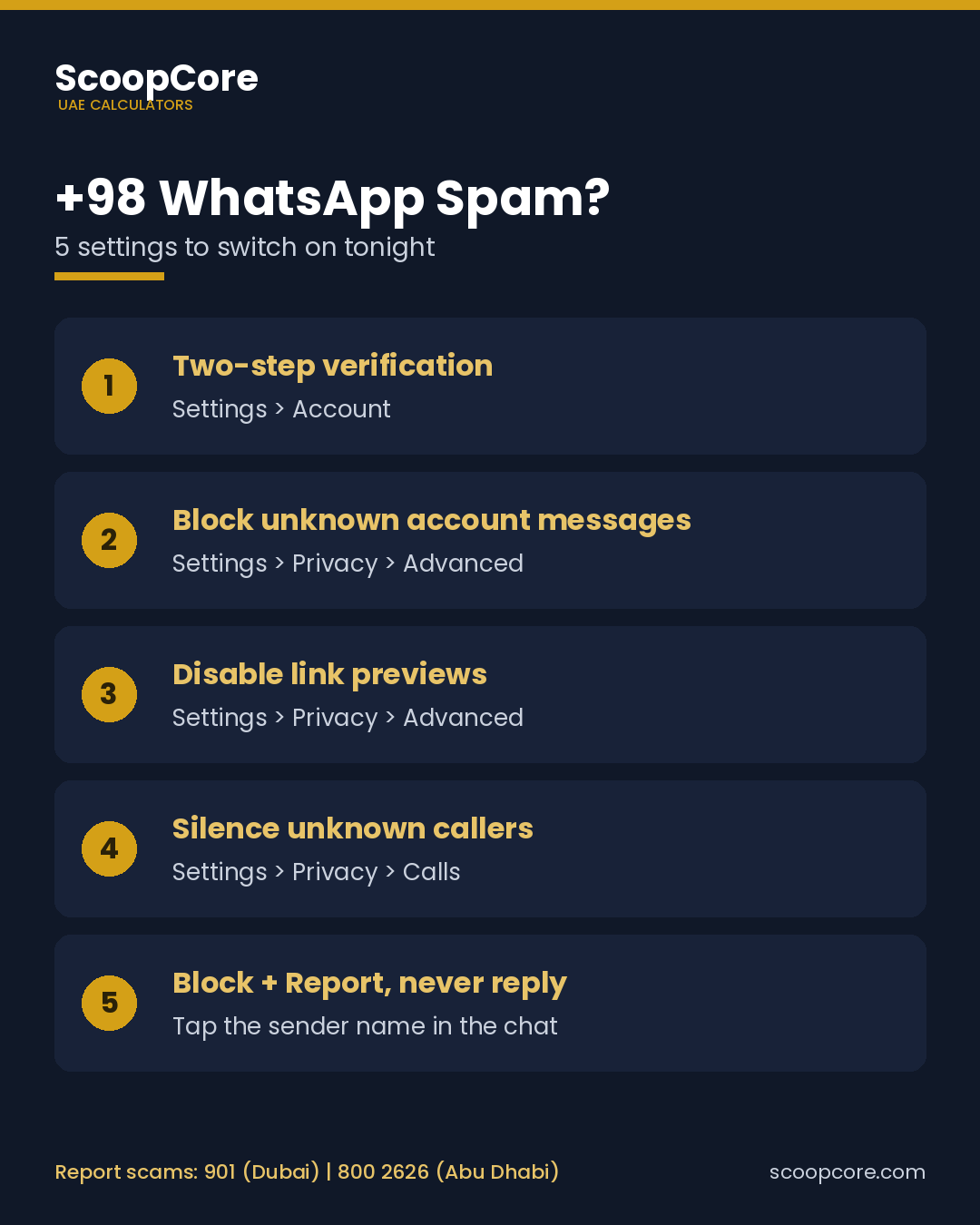
- Two-step verification (Settings > Account > Two-step verification). Set a six-digit PIN. This is the single most important step, because it stops anyone taking over your WhatsApp even if they trick you into sharing an SMS code.
- Block unknown account messages (Settings > Privacy > Advanced). WhatsApp automatically blocks unknown accounts that send you an unusually high volume of messages. It will not catch every message, but it blunts the bulk waves.
- Disable link previews (Settings > Privacy > Advanced). Your phone stops loading previews from links, so a malicious server is not contacted just because a message arrived.
- Silence unknown callers (Settings > Privacy > Calls). Calls from numbers not in your contacts go straight to your call list without ringing.
- Block and report, never reply. Open the chat, tap the sender’s name, then choose Report and Block. Reporting shares the most recent messages with WhatsApp so it can ban the account.
Running a business number? Consider swapping the plain-text phone number on your website for a contact form or a click-to-chat button. Bots that scrape numbers from page text find those much harder to harvest.
Clicked a link or shared a code? Do this immediately
- Shared a WhatsApp code: re-register WhatsApp on your number right away, which logs the other device out, then turn on two-step verification.
- Entered card or bank details: call your bank’s 24-hour line and block the card before you do anything else.
- Sent money: contact your bank to request a recall, then file a police report with screenshots, the sender’s number and the transaction reference.
- Installed an app or file: delete it, run a security scan and change passwords from a different device.
- Warn your contacts if the account was used, since scammers often message your saved contacts next.
How to report a WhatsApp scam in the UAE
Keep screenshots of the chat, the sender’s full number and any payment details before you block, then report through the right channel for your emirate.
| Where you are | How to report |
|---|---|
| Dubai | Call 901 (non-emergency) or use the eCrime service on the Dubai Police website and app |
| Abu Dhabi | Aman service: call 800 2626, SMS 2828, email aman@adpolice.gov.ae or use Abu Dhabi Police online |
| Sharjah and Ajman | Call 901 and choose the relevant department |
| Anywhere in the UAE | eCrime service in the MOI UAE app, or the My Safe Society app from the UAE Public Prosecution |
| Money already gone | Your bank’s 24-hour fraud line first, then a police report |
| Life in danger | 999 |
Other scam messages UAE residents keep getting
The +98 wave is the latest flavour, not the only one. Fake traffic fine texts are a favourite, so check any fine against the official channels in our Dubai traffic fines guide instead of tapping a link. The same goes for toll “payment overdue” messages: you can sanity-check what you actually owe with the Salik calculator or the Darb toll calculator, then pay only through the official app. Fake visa and overstay penalty messages also circulate, and the overstay fine calculator shows what a real fine looks like.
+98 country code FAQs
Which country uses the +98 country code?
Why am I getting WhatsApp business proposals from +98 numbers?
Is it safe to reply to a +98 WhatsApp message?
Can I block all +98 numbers on WhatsApp?
Can someone hack my WhatsApp just by sending me a message?
Where do I report a WhatsApp scam in Dubai?
Where do I report a WhatsApp scam in Abu Dhabi?
Can a UAE company do business with an Iranian company that contacts it?
Information verified on 22 October 2026. WhatsApp menu names can change between app versions. This guide is general information, not legal or financial advice.
Sources: UAE Cyber Security Council public fraud warnings (2026); Dubai Police; Abu Dhabi Police Aman service; UAE Ministry of Interior; UAE Public Prosecution; WhatsApp Help Center.
New fuel prices, toll and parking changes, labour and visa rule updates and fine discounts, in one short email. No spam, unsubscribe any time.